
See wildfires on your map
You see smoke over the valley, but you can't tell how close the fire is. Motocamp shows where NASA satellites saw fires in the last two days. It also shows fires we have marked from reports. Then you can plan a way around them.
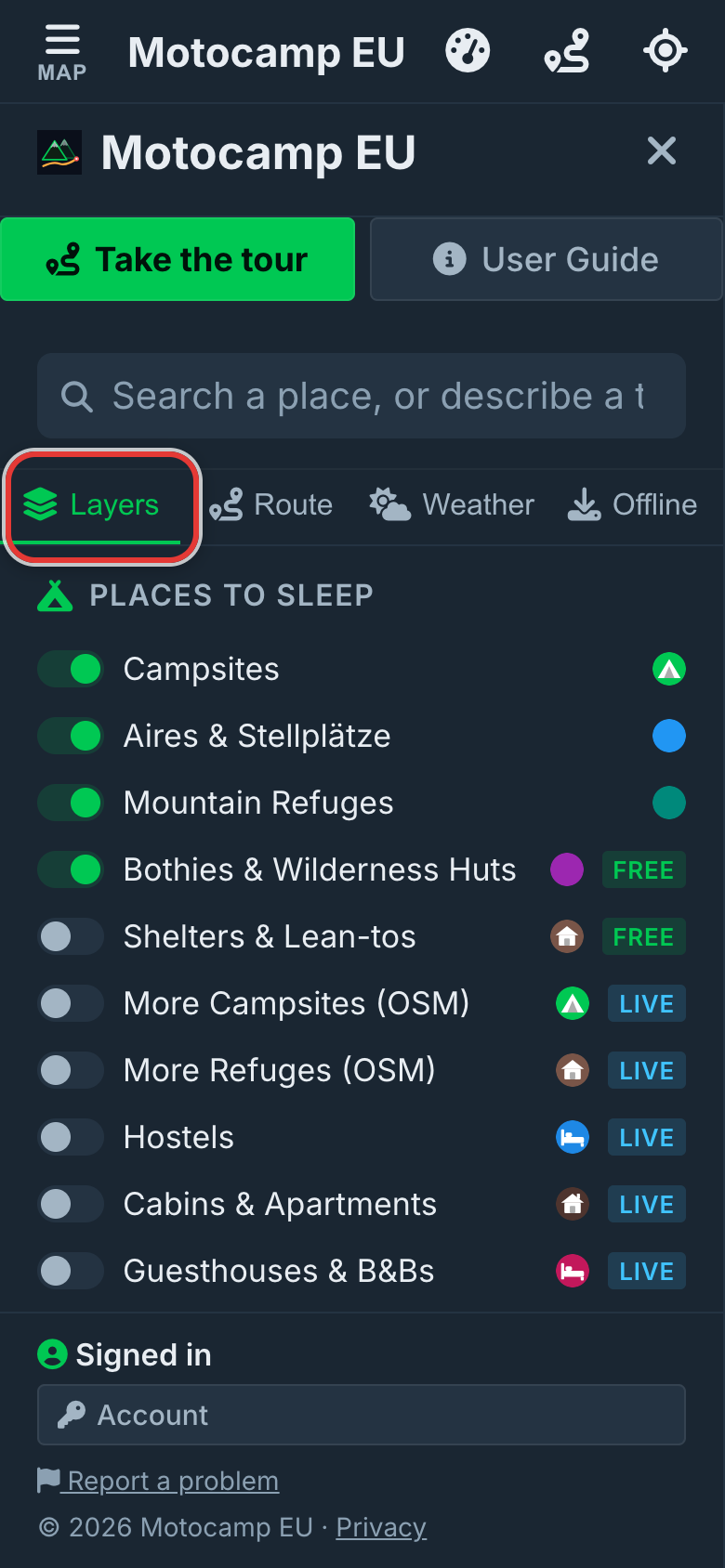
1Open Menu, then Layers
Tap Menu at the top left of the screen. Then tap Layers at the top of the menu. Scroll down to the heading Trails & Land. The fire switch is there.
2Check Fire hotspots is on
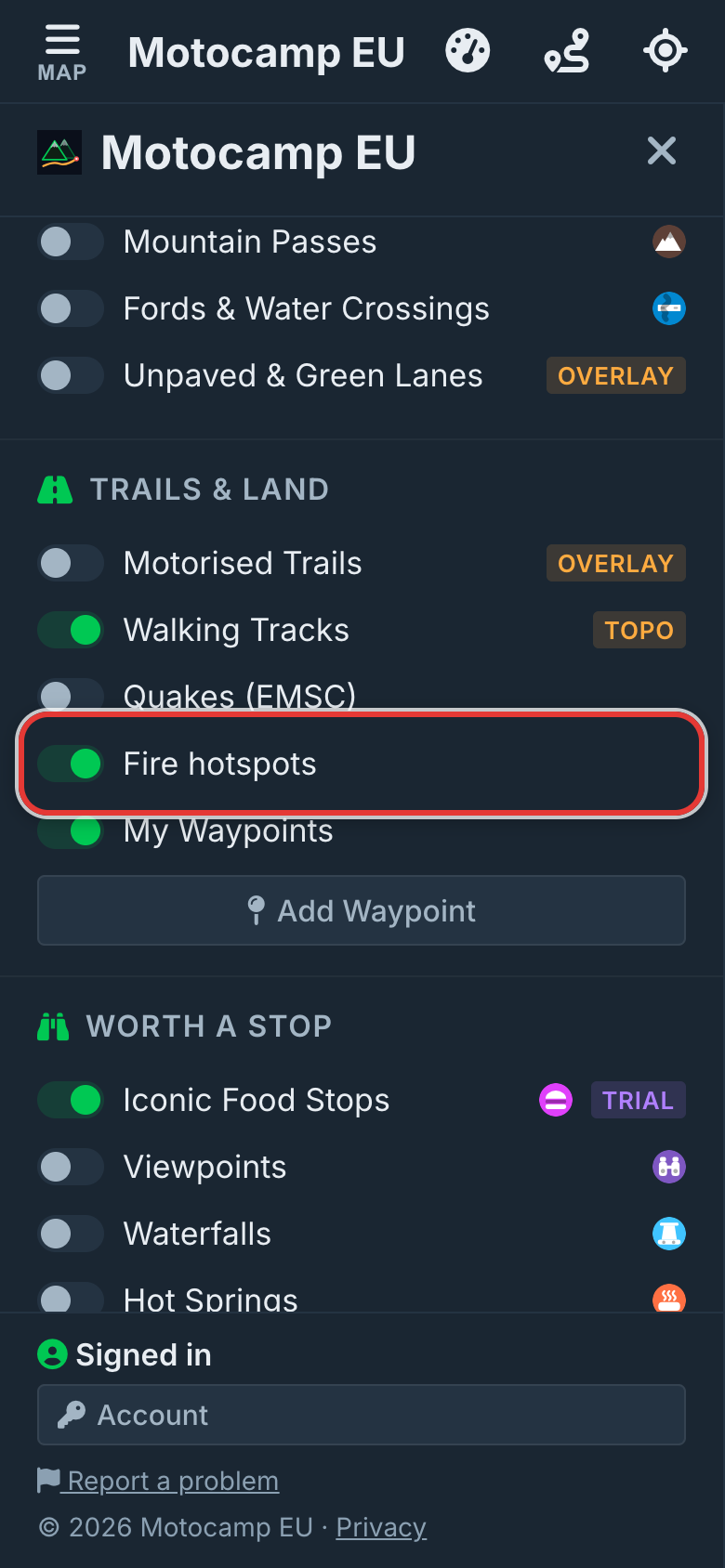
Fire hotspots is on from the start. You should not have to go looking for a fire. If you turned it off, tap the switch to turn it back on. The app will remember your choice.
3Read the orange glow
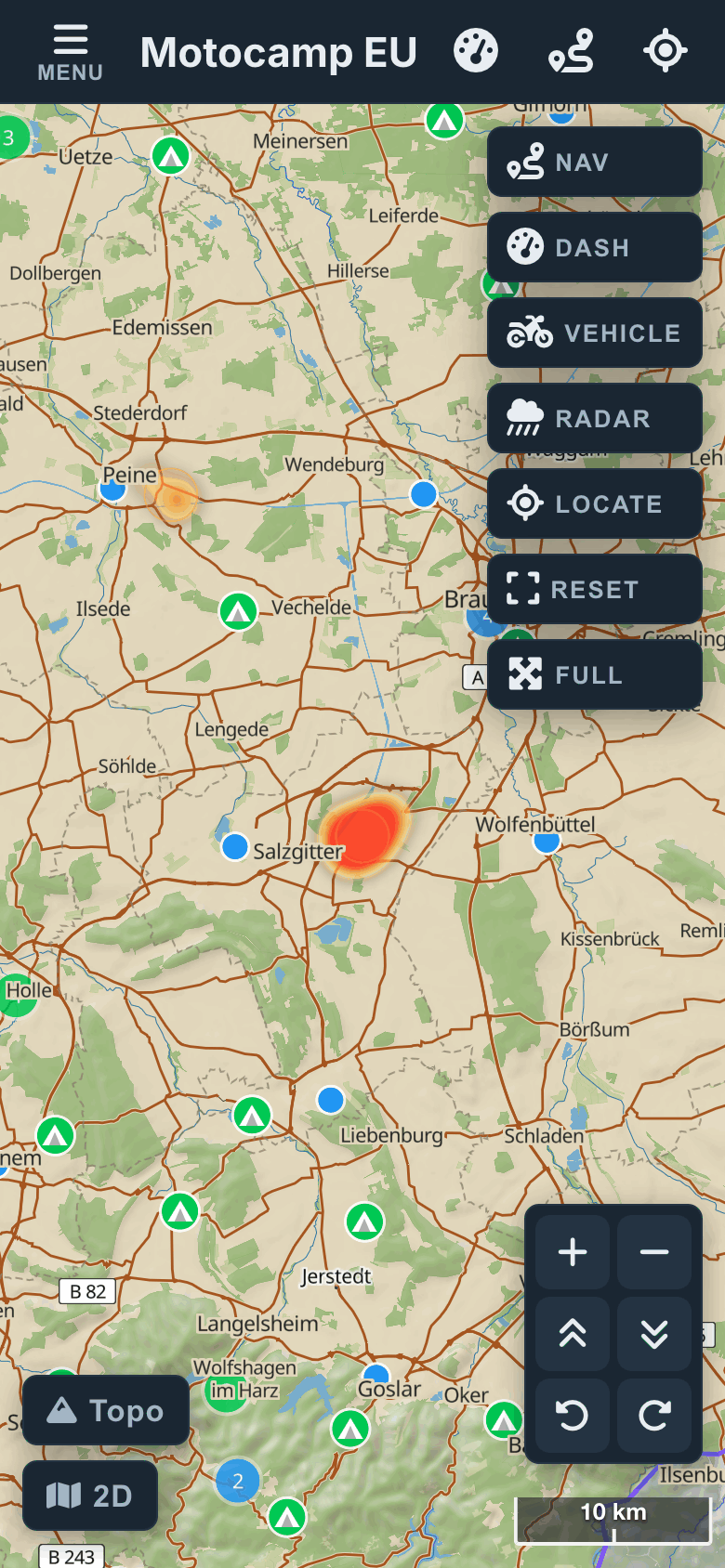
Tap Map at the top left to close the menu. NASA satellites spot heat from fires. Where they saw heat in the last two days, the map glows yellow to red. Red means the most heat. Each fire has a label. It says Active fire and how long ago it was seen, like 3 h ago. The glow is faint when you zoom out, so zoom in.
4Tap a fire for its card
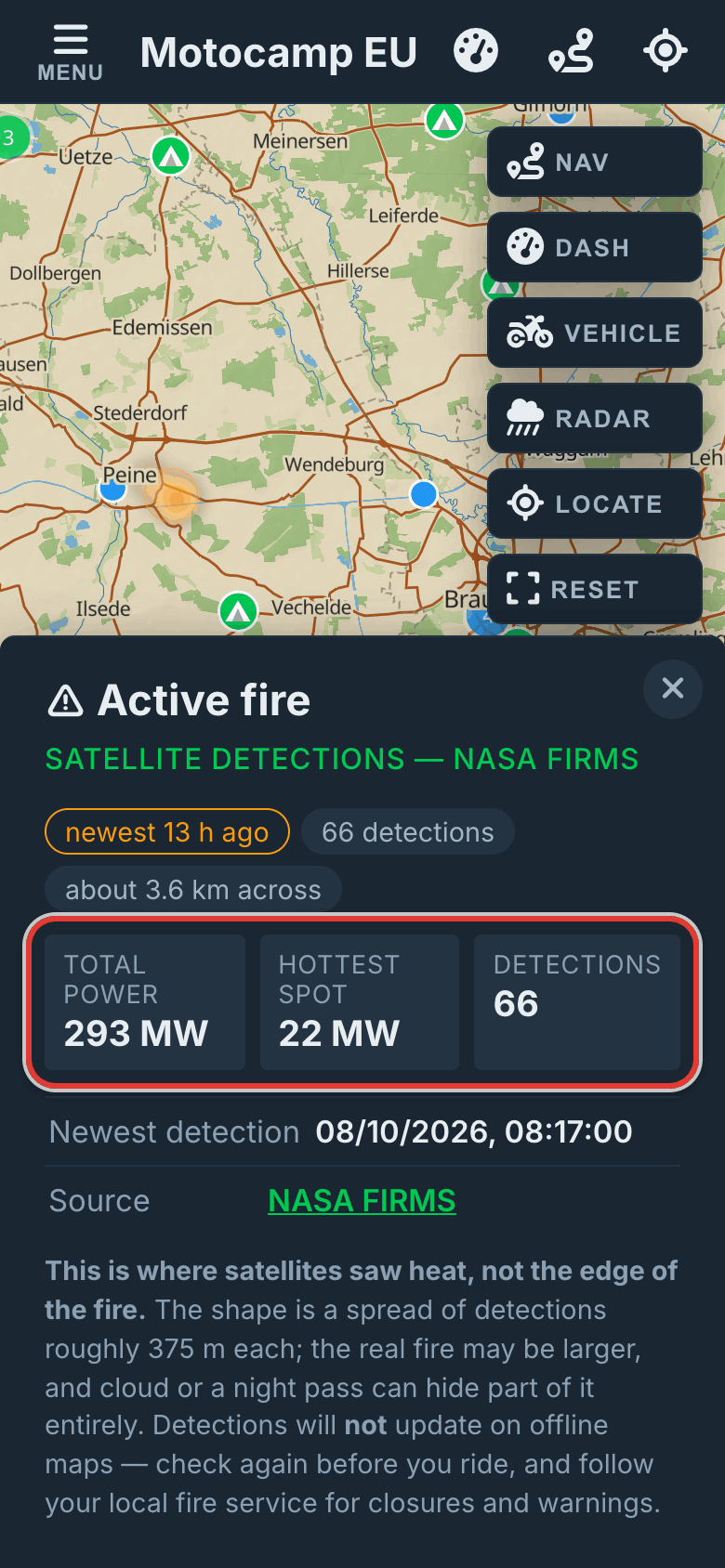
Tap the glow or its label to open the fire's card. It shows when a satellite last saw the fire. It shows how many times the fire was seen. It shows how much heat the fire gives off, in total and at its hottest spot. Heat is shown in megawatts. The link at the bottom goes to NASA FIRMS, where the facts come from.
5Red areas are known fires
Some fires also show as a red area with a dashed edge. The fire's name sits above it. These are fires we have marked from reports. They always show, and there is no switch for them. Tap one to see when it started and how long it stays on the map. If the card says routes go around it, your routes will stay clear of it.
Good to know
A hotspot is where a satellite saw heat. It is not the edge of the fire. Each spot it sees is about 375 metres across. The real fire may be bigger than the glow. Cloud, smoke or the time of day can hide a fire from the satellite. The fire maps do not update with no signal. Check again before you leave. Always follow the local fire service for road closures and warnings.
Also in the app: maps that work with no signal, campsites and aires, and Plan with AI. It plans routes for seven kinds of vehicle, from an enduro bike to a motorhome.