
6Places to stay and stop
This chapter helps you find a place for the night, or a good place to stop on the way. It covers each kind of place on the map and what each card tells you. It also shows how to save the places you like.
6.1Places to stay on the map
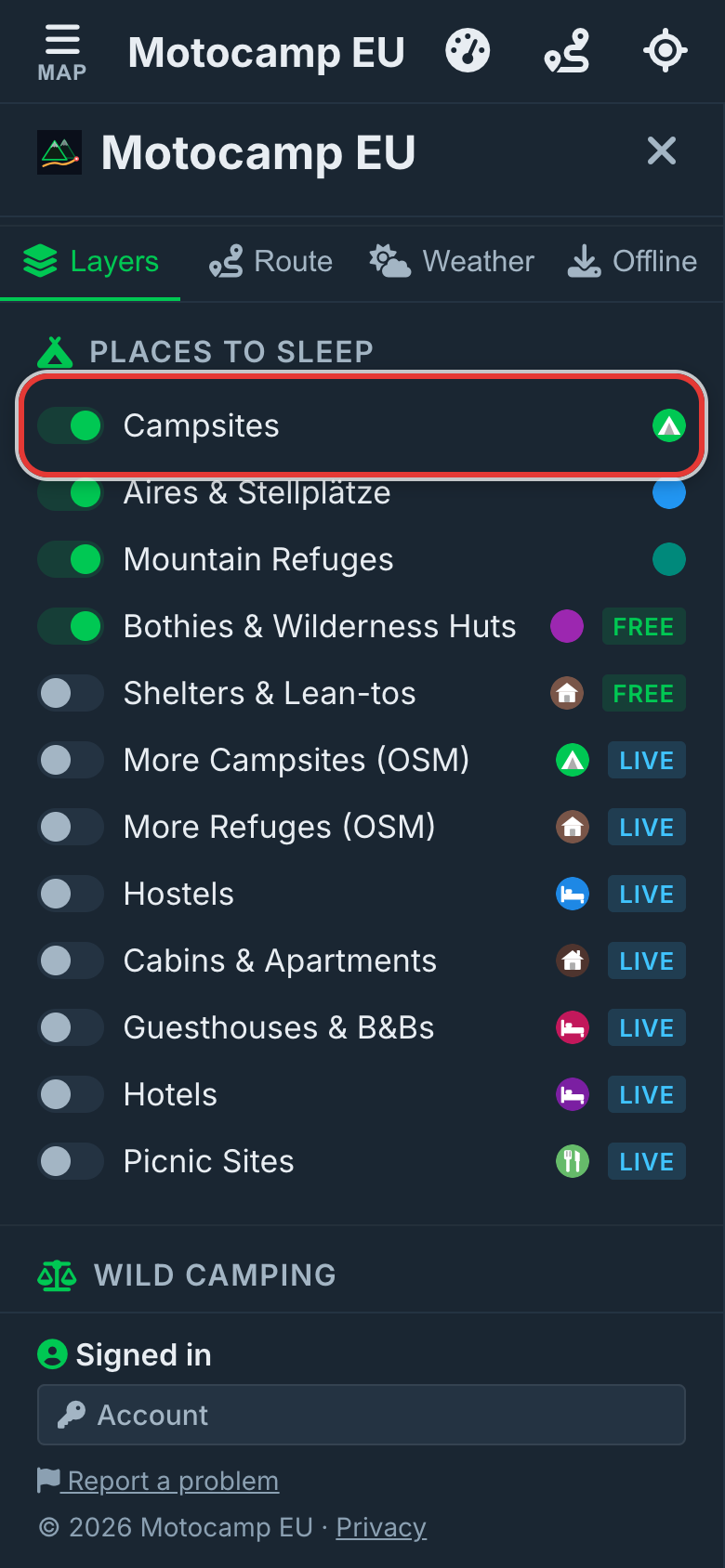
Each kind of place has its own switch. Turn on the ones you want to see. Turn off the ones you don't.
- Tap Menu at the top left of the screen.
- Tap Layers along the top of the Menu.
- Find the heading Places to Sleep.
- Tap a switch to turn that kind of place on or off.
- Tap Map at the top left to close the Menu.
An aire, or Stellplatz in German, is a place for campervans and motorhomes to stop for the night. A bothy is a simple hut that anyone may use.
| Switch | What it puts on the map | At the start |
|---|---|---|
| Campsites | Campsites from national lists and OpenStreetMap. | On |
| Aires & Stellplätze | Stopovers for campervans and motorhomes. | On |
| Mountain Refuges | Staffed huts in the mountains, where you can sleep and often eat. | On |
| Bothies & Wilderness Huts | Simple huts, most of them free. | On |
| Shelters & Lean-tos | Open shelters, most of them free. | Off |
| More Campsites (OSM) | More campsites, loaded from OpenStreetMap as you move the map. | Off |
| More Refuges (OSM) | More mountain refuges, loaded the same way. | Off |
| Hostels | Hostels, with shared or private rooms. | Off |
| Cabins & Apartments | Cabins, chalets and holiday apartments. | Off |
| Guesthouses & B&Bs | Guesthouses and bed and breakfasts. | Off |
| Hotels | Hotels, motels and resorts. | Off |
| Picnic Sites | Places to stop and eat. They're for the day, not the night. | Off |
OSM is short for OpenStreetMap. It's a free world map that people everywhere keep up to date.
Rest Areas sits under Travel. Shelters & Huts and Dump Stations sit under Services. Dump Stations is on from the start.
Step by step, with pictures: Find a place to stop for the night · Book your campsite straight with the owner
6.2Find a place and open its card
Zoomed out, places close together join into a soft circle with a number on it. The number is how many places are there.
- Move the map to where you'd like to stop.
- Tap a circle, or zoom in, until single pins show.
- Tap a pin. Its card opens.
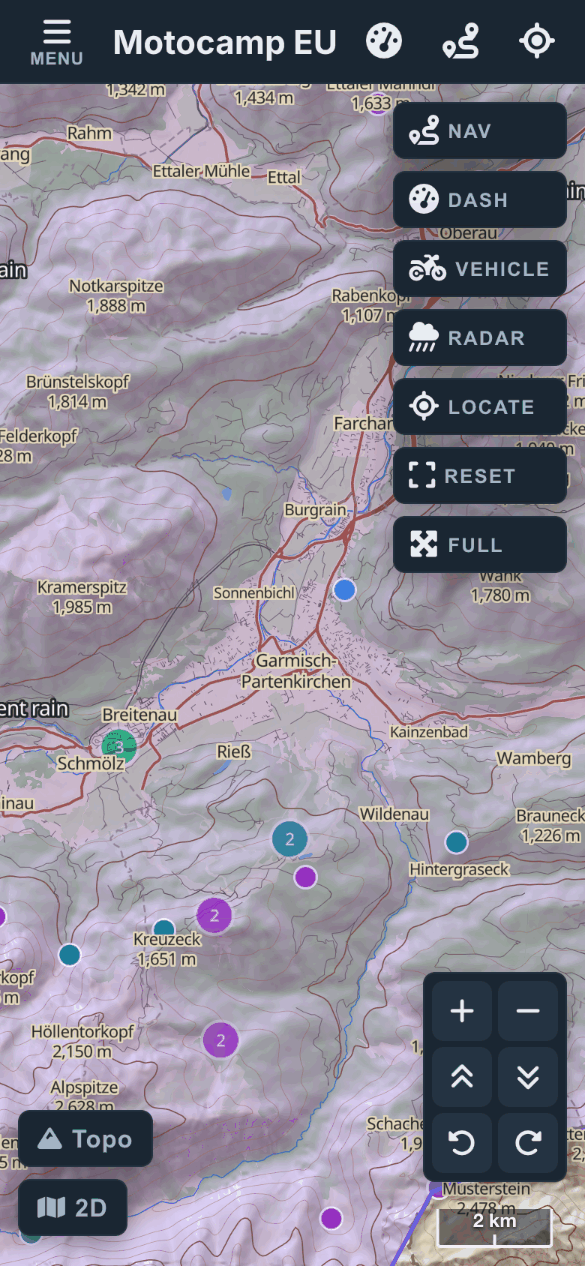
A green ring marks the place whose card is open. Its name shows beside it, so you know which pin you're reading about.
Some places have no name on the map. The card then calls it by its kind, then adds the nearest town, like "Campsite near" and the town.
6.3The campsite card, part by part
Tap a campsite, aire, refuge, bothy or shelter and its card opens. Here is every part, from top to bottom. A part only shows when we have something for it.
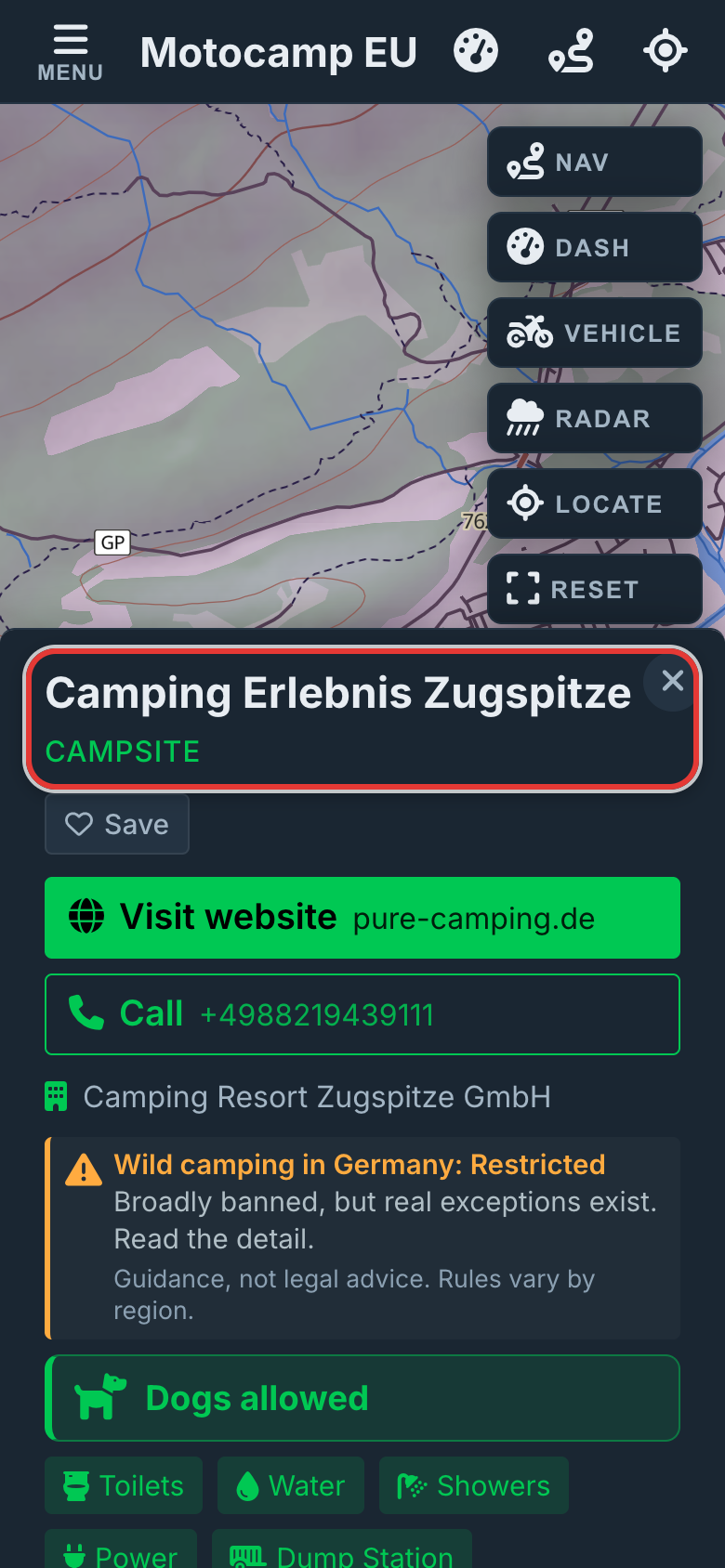
| Part | What it tells you |
|---|---|
| Name and kind | The place's name, and what kind of place it is. A refuge or bothy says so here. |
| Save | Keeps the place in your Saved Spots. The button then says Saved. |
| Book direct, Visit website, Call | Big buttons to the place's own website and phone. See the next part of this chapter. |
| Who runs it | The line with a small building. It names the company, council or agency. |
| Wild camping in (country) | Shows on campsites, aires and bothies. It gives the country's rule for camping outside a campsite. It says Right to roam, Tolerated, Restricted or Prohibited. |
| Dog row | A wide row with a dog on it. It says if dogs may come. See Dogs OK below. |
| Facilities | Small badges: Toilets, Water, Showers, Power, Kitchen, BBQ, WiFi, Laundry and Dump Station. A green badge means it's there. A grey one means the map doesn't say it is. |
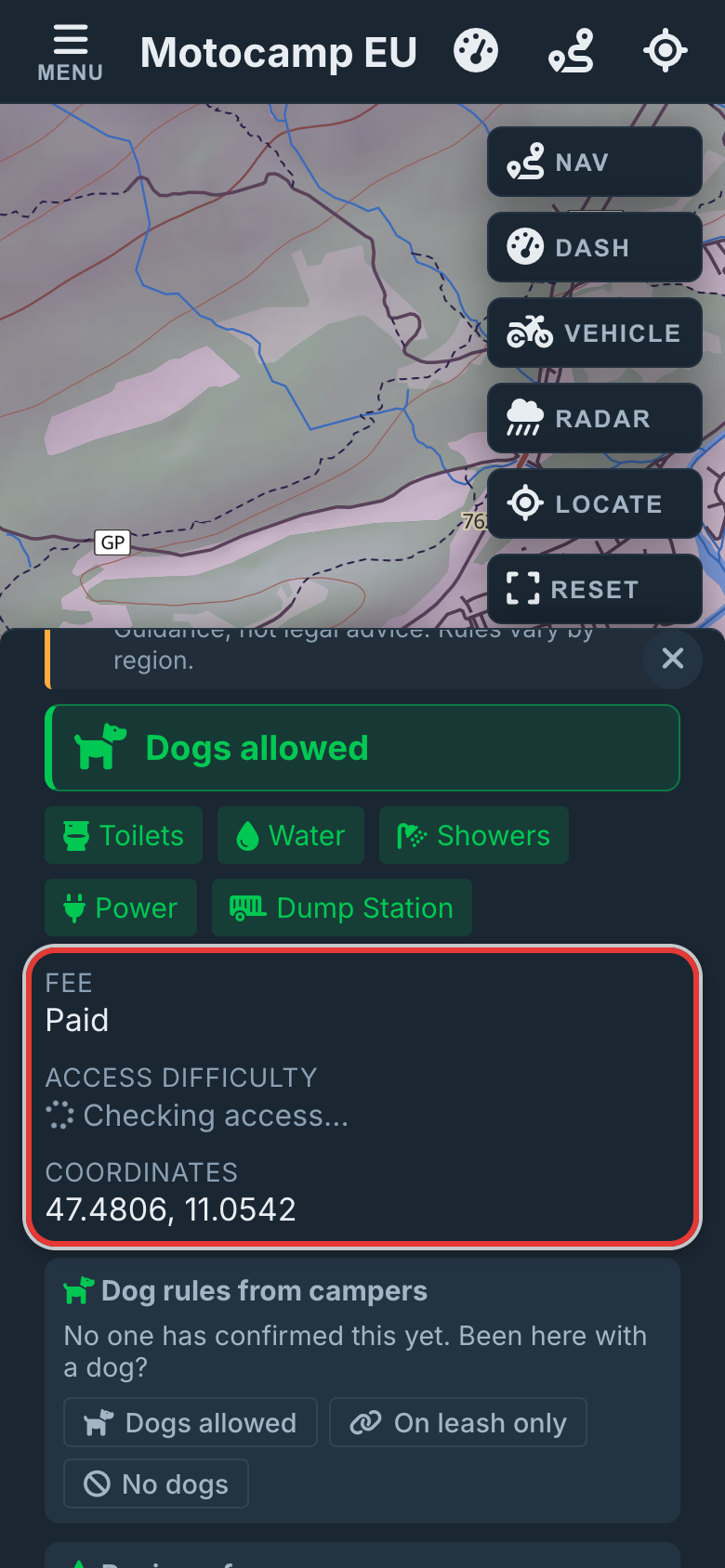
| Fee | Free in green, Paid, or the price as the record gives it. Not stated means we don't know. Tap search to look it up. |
| Access difficulty | How rough the road in is, and whether each kind of vehicle can get there. See the part on access below. |
| Opening Hours | When it's open, if the record says. |
| Bookings | Whether to book. Some say book on the operator's site, with a link. |
| Capacity | How many pitches it has. |
| Coordinates | The exact spot, as two numbers. |
| Description | A few words about the place, when someone has written them. |
| Dog rules from campers | What other campers say about dogs here. You can add yours. |
| Reviews from campers | Star ratings and a few words from campers. |
| Current conditions from campers | What campers found lately: open, full, flooded and so on. |
| Report a problem with this place | Tell us when the card is wrong. Only we see it. |
| Nearby (within 20km) | How many campsites, fuel stops, shops, water taps and toilets are close by. |
| 7-Day Forecast | The weather for that spot for the week ahead. |
| Buttons at the bottom | Ways to plan a route there. Search web shows when we have no website. Google Maps opens the spot in Google Maps. Reviews searches the web for reviews. |
| Source line | At the very bottom. It names where the facts came from, when the record last changed, and when we last checked. "Record over 1 year old" or "record over 2 years old" warns you it's old. |
Step by step, with pictures: Find a place to stop for the night
6.4Access difficulty: how rough the road in is
Access difficulty tells you how rough the road into a place is. The app reads the road closest to the site on the map.
| What the card says | What it means |
|---|---|
| Paved access or Sealed access | A sealed road all the way. |
| Paved road, then a short unpaved track in | A good road, then a short track to the site. |
| Maintained gravel/dirt | A gravel or dirt road that's kept in order. |
| Rough unpaved road | A rough road. Take care with a long or low vehicle. |
| Rugged 4x4 track | A track for 4x4s and bikes built for it. |
| Extreme, expert 4x4/enduro | Only for skilled drivers in the right vehicle. |
| No vehicle access, walk-in | Only footpaths nearby. You walk in. |
| Surface not mapped | The map doesn't say what the road is like. |
| Checking access… | The app is still looking. It needs signal. |
Under a graded road you'll see a row of chips: Caravan / motorhome, Car, SUV/Van, Truck/4x4 and Moto. Each says OK, Care or No. The chip for your own vehicle has a ring round it.
6.5Book direct, Visit website and Call
Where a place has its own website, its card shows a big button for it. It's the first button under the name, with the website's address beside it.
- Book direct shows on somewhere you can book: a hotel, guesthouse, hostel or cabin. It also shows on a campsite or hut that takes bookings.
- Visit website shows on other places with their own website.
- Call shows when the map has a phone number. The number is on the button.
- Tap a pin to open its card.
- Tap Book direct, or Visit website, to open the place's own website.
- Or tap Call to ring the place from your phone.
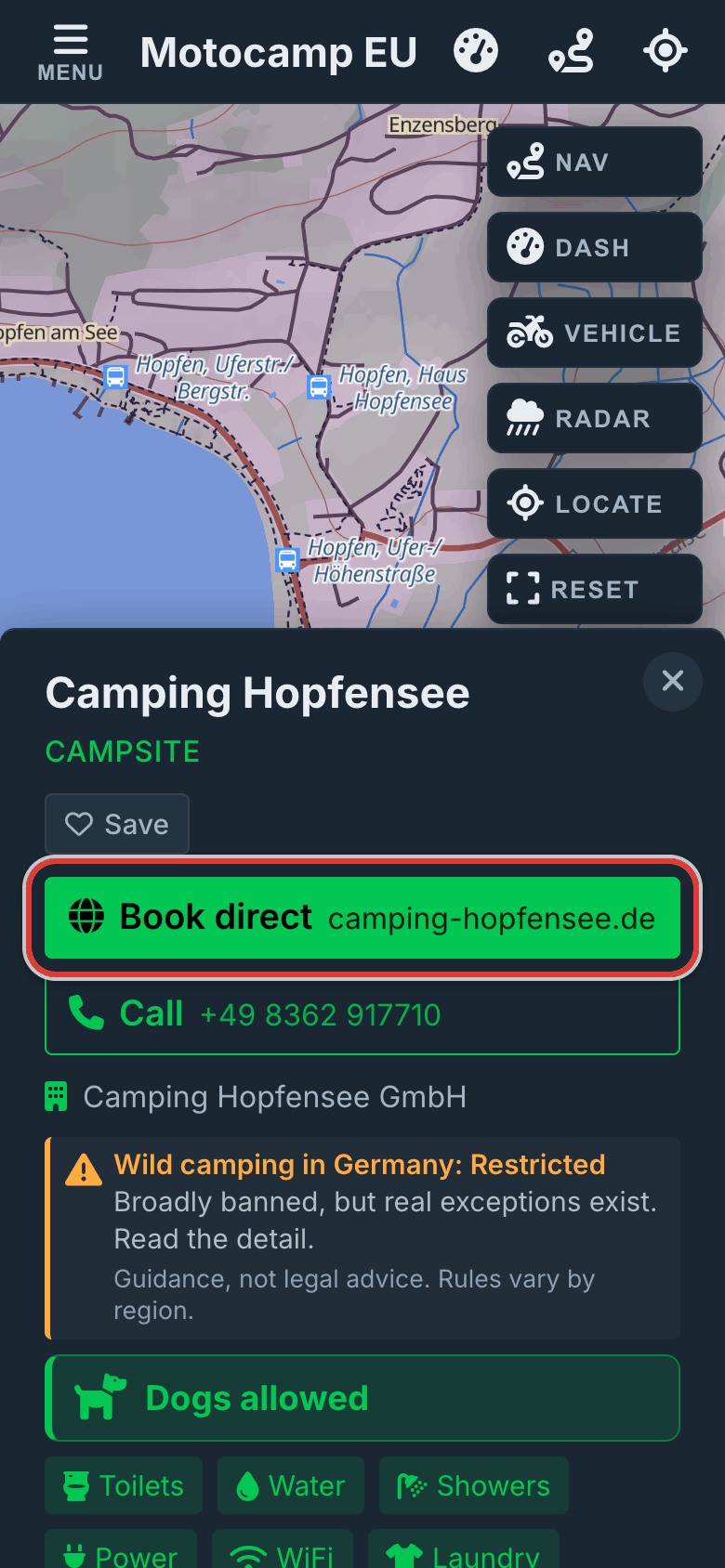
Booking straight with the owner means they keep more of what you pay.
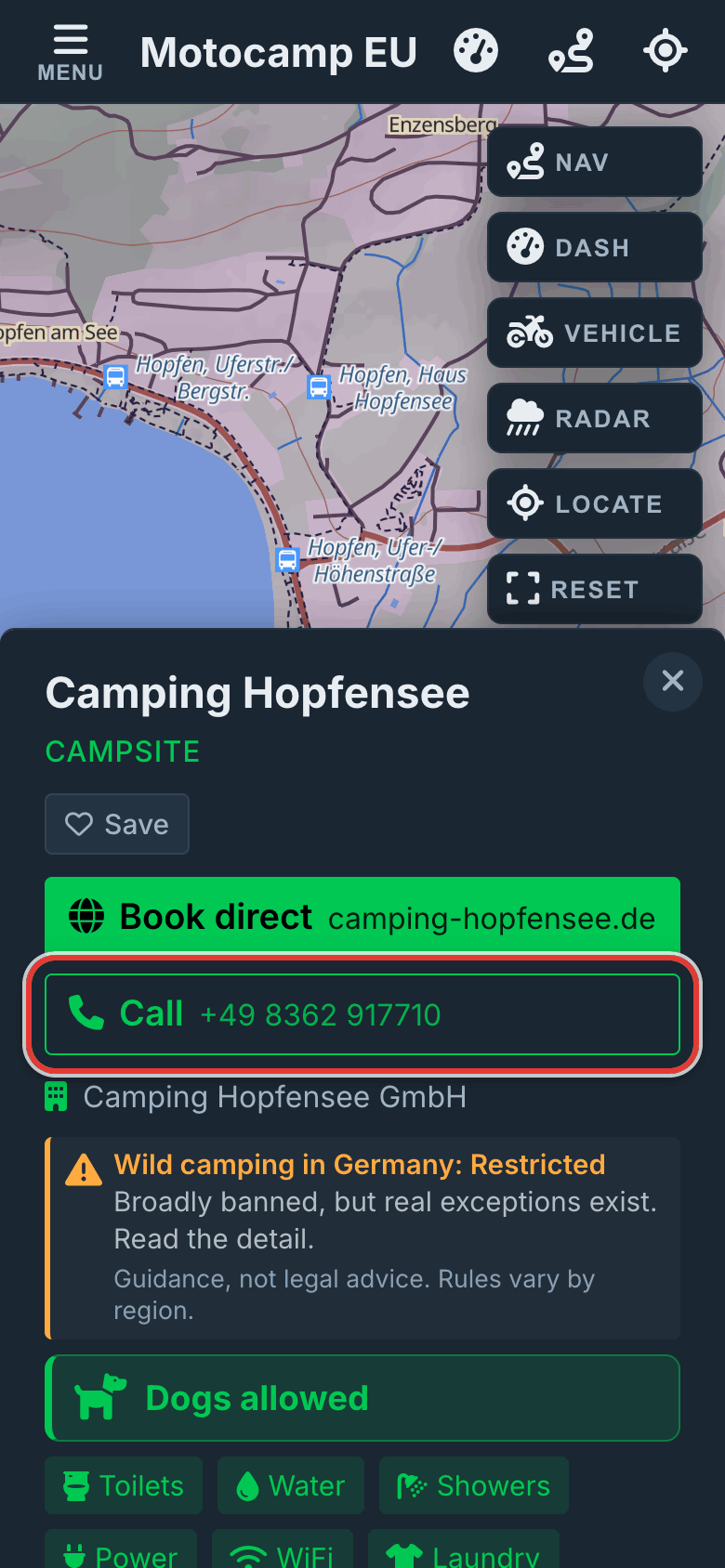
Step by step, with pictures: Book your campsite straight with the owner
6.6Booking.com and Compare prices
Cards from Hotels, Guesthouses & B&Bs, Hostels and Cabins & Apartments have two more links. They sit in the row of small links at the bottom.
| Link | What it does |
|---|---|
| Booking.com | Opens Booking.com and looks for this place by its name and town. |
| Compare prices | Opens Google's hotel search for this place, so you can see prices from several sites. |
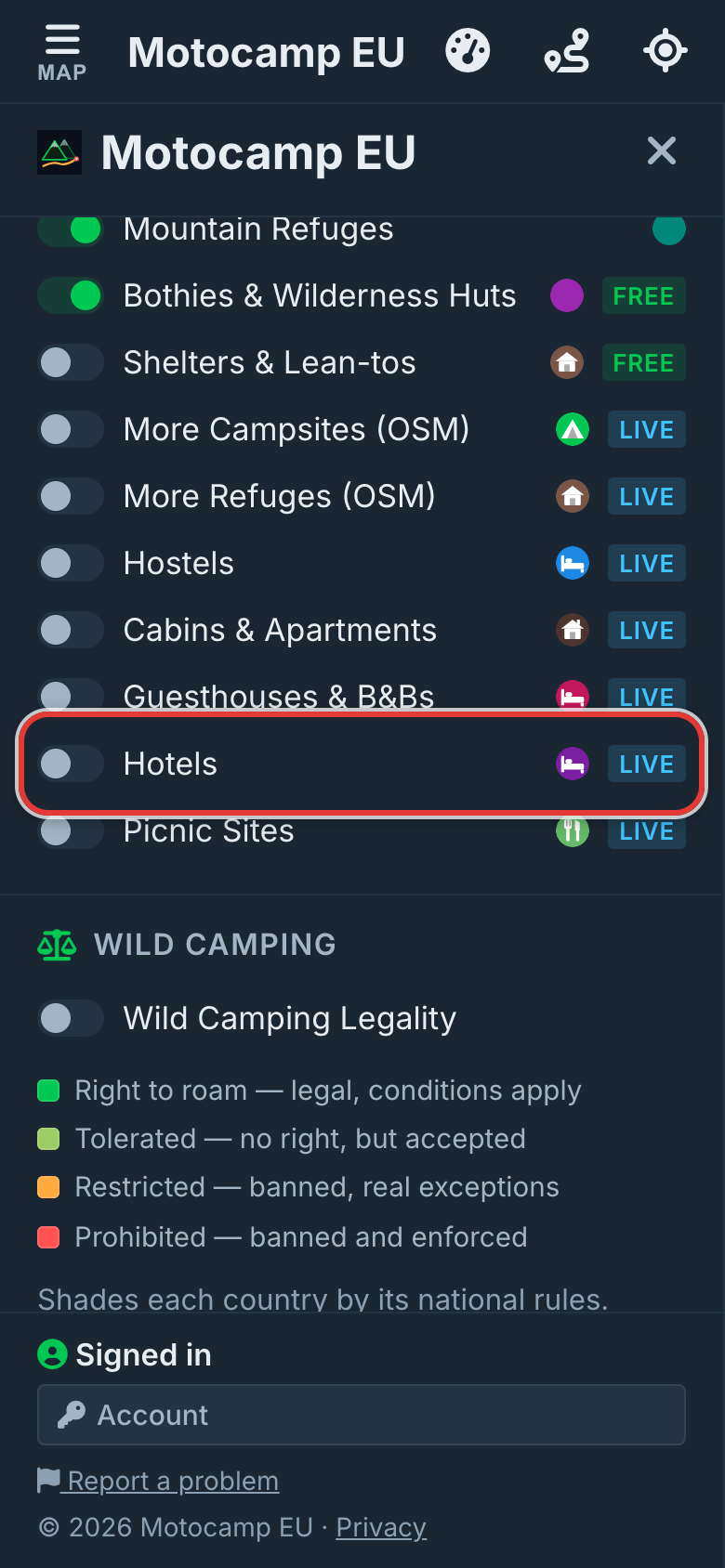
Other small links you may see in that row:
- Save keeps the place in your Saved Spots.
- Maps opens the place in Google Maps.
- Facebook shows when the place has no website but has a Facebook page.
- Reviews, on a campsite, searches the web for reviews.
6.7Cards for hotels, huts and rest areas
Hotels, hostels, cabins, huts and the Campsites layer open a shorter card. Here is what it can show.
| Part | What it tells you |
|---|---|
| Name and kind | The name, and the kind of place, like Motel, Hostel or Cabin. |
| No name listed | The map has no name for this place. |
| Who runs it | The company or the brand, when we know it. |
| Beds, Rooms, Rating | How many beds or rooms, and its star rating. |
| Fee | Free shows in green when the place costs nothing. |
| Elevation | How high it is, in metres. |
| Badges | Free WiFi or WiFi, Showers, Kitchen and Air con. |
| Address and Hours | Where it is and when it's open. |
| Book direct, Visit website, Call | Big buttons to the place's own website and phone. |
| An email address you can tap, when the map has one. | |
| Small links | Route buttons, Save, Maps, and for places to sleep, Booking.com and Compare prices. |
A pin from the Campsites layer has more rows. They are Fee, Access, Booking and Capacity. Badges show what it has. Tents, Caravans and Motorhome say who may stay. A short line can say Campfires OK, No campfires or Wheelchair accessible.
Campsite pins also have the camper sections from the main card. These are dog rules, reviews, current conditions and Report a problem with this place.
A pin from Rest Areas, under Travel, says Rest Area or Truck Stop / Services. It can show badges for Toilets, Water, Tables and Shelter.
6.8Filter campsites
The filter chips help you find the sites with what you need. Sites that don't match fade. The rest stay bright.
- Tap Menu.
- Tap Layers.
- Scroll to Filter Campsites at the bottom.
- Tap a chip. It turns green.
- Tap Map to close the Menu and look.
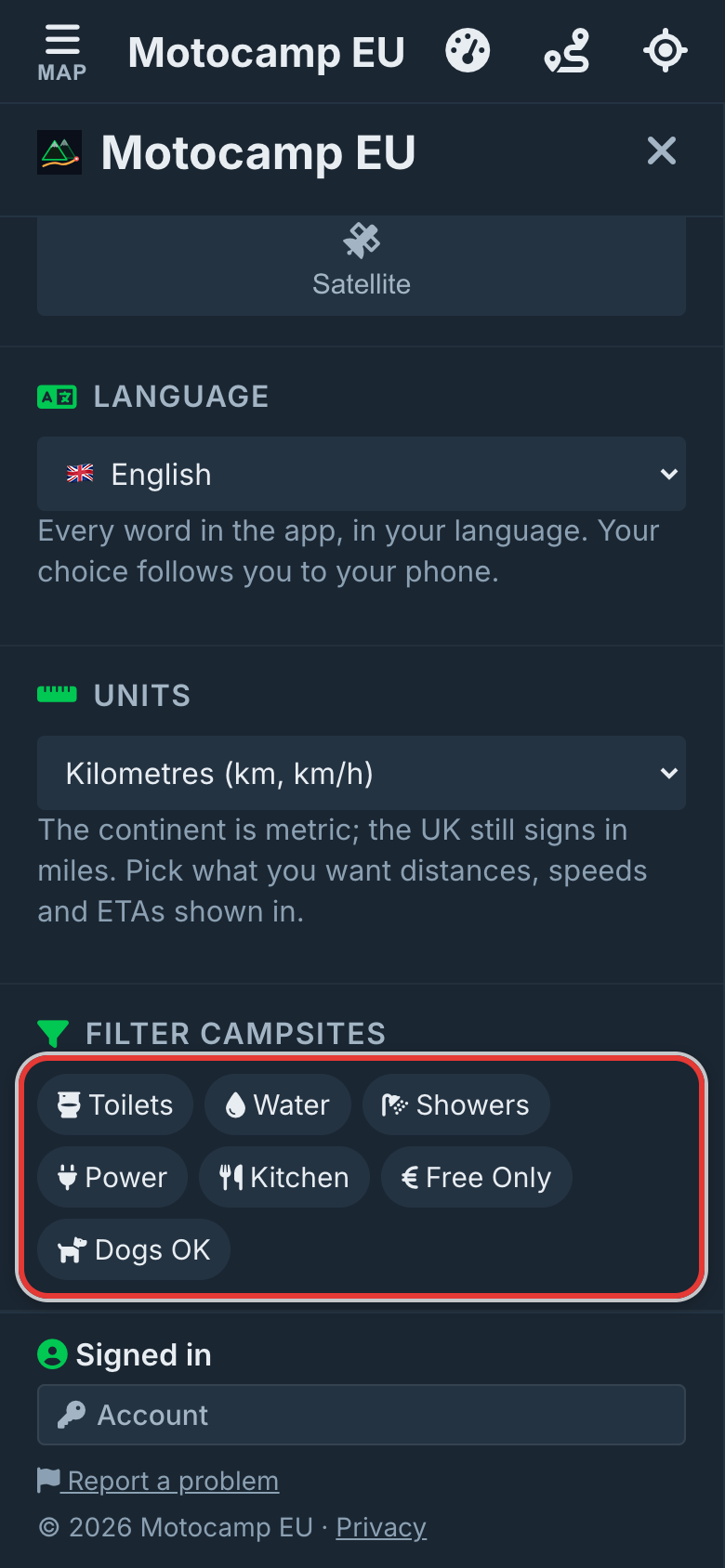
| Chip | What it does |
|---|---|
| Toilets | Keeps sites with toilets. |
| Water | Keeps sites with drinking water. |
| Showers | Keeps sites with showers. |
| Power | Keeps sites with power. |
| Kitchen | Keeps sites with a kitchen. |
| Free Only | Keeps sites recorded as free. |
| Dogs OK | Keeps sites that take dogs. See the next part. |
Tap more than one chip and a site must match them all to stay bright.
A site the map has no word on fades too. Unknown isn't a yes.
The chips work on Campsites, Aires & Stellplätze, Mountain Refuges, Bothies & Wilderness Huts and Shelters & Lean-tos. Other layers stay at full strength.
Step by step, with pictures: Find a place to stop for the night · Find campsites that take your dog
6.9Dogs OK and the dog row
Every campsite card has a dog row near the top. It answers one question: can the dog come?
| The dog row says | What it means |
|---|---|
| Dogs allowed | Dogs may come. |
| Dogs on leash | Dogs may come on a leash. |
| Dogs off leash | Dogs may come and run free. |
| Dogs with permit | Dogs may come with a permit. |
| No dogs | Dogs may not come. |
| No dog info | Nobody has recorded a rule yet. |
| Campers say ... | Campers have reported a rule, but not enough yet to be sure. |
| Campers disagree about dogs | Some campers say yes and some say no. |
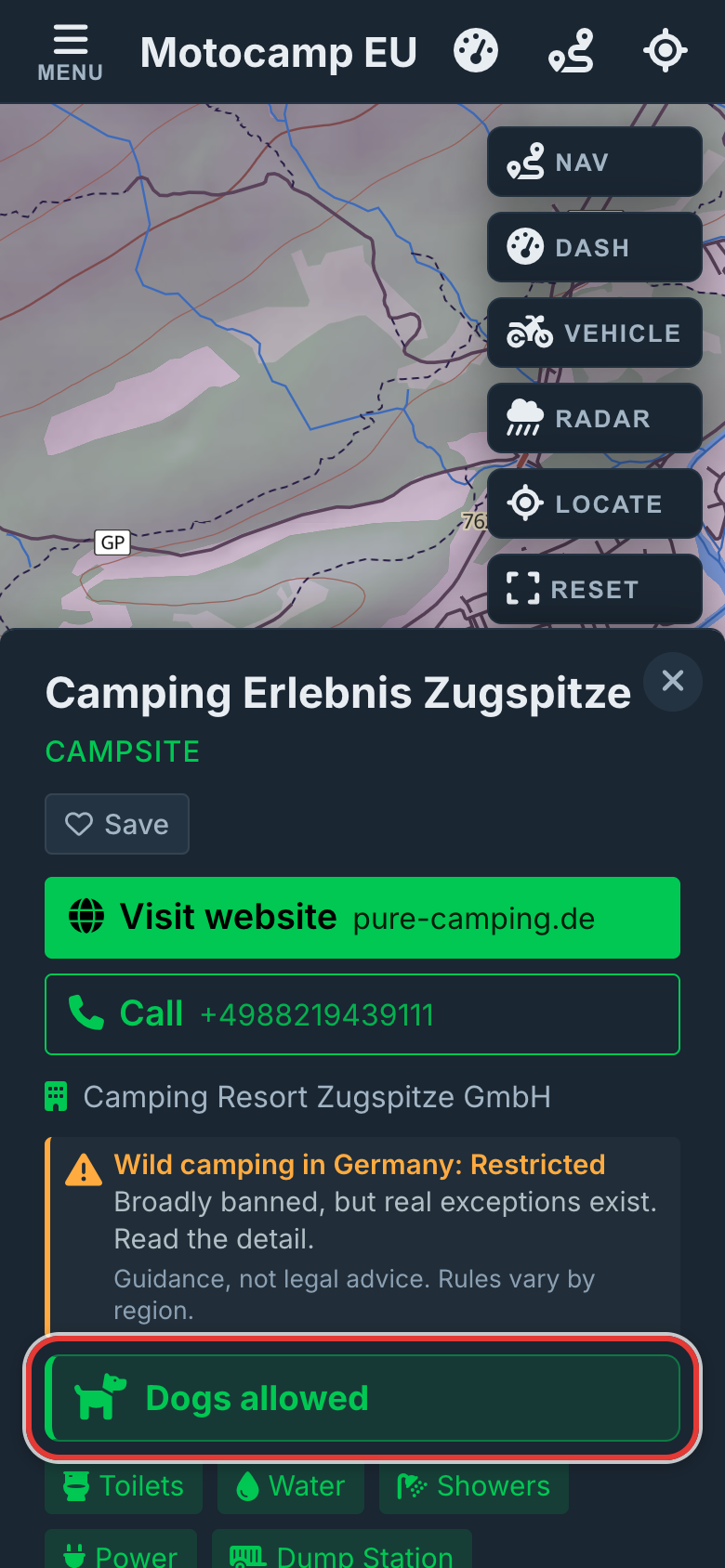
Dog rules come from the map.
To see only sites that take dogs, turn on the Dogs OK chip.
- Tap Menu.
- Tap Layers.
- Scroll to Filter Campsites.
- Tap Dogs OK, the chip with a dog on it.
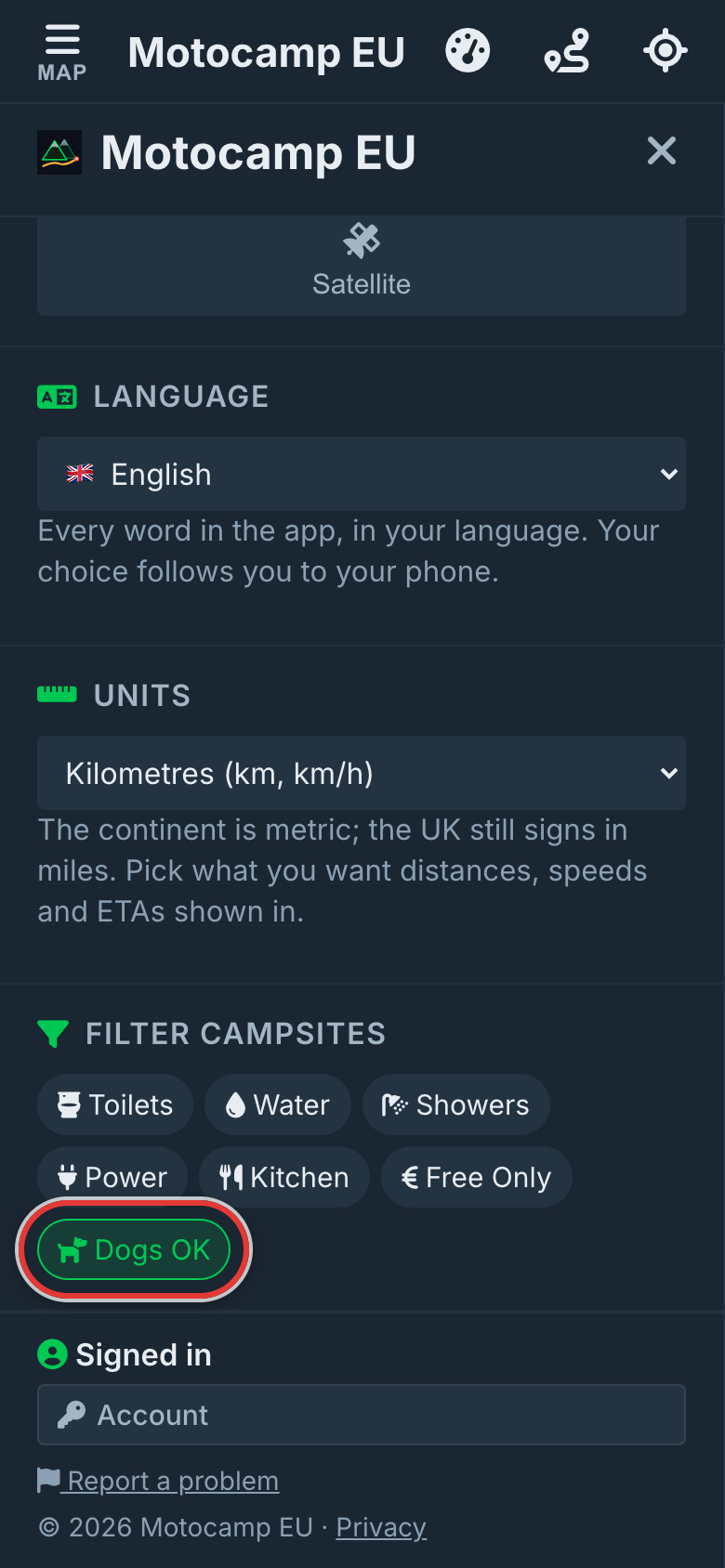
Sites that take dogs stay bright. The rest fade, and so do sites with no dog rule.
Step by step, with pictures: Find campsites that take your dog
6.10What other campers say
Under the details, three sections share what other campers found. You need to be signed in to add to them.
Dog rules from campers
- Tap Dogs allowed, On leash only or No dogs.
- Under How do you know?, tap how you know.
- The choices are Saw a sign, Staff told me, Stayed with a dog, Saw dogs there and Other.
- Add a note if you like.
- Tap Post report.
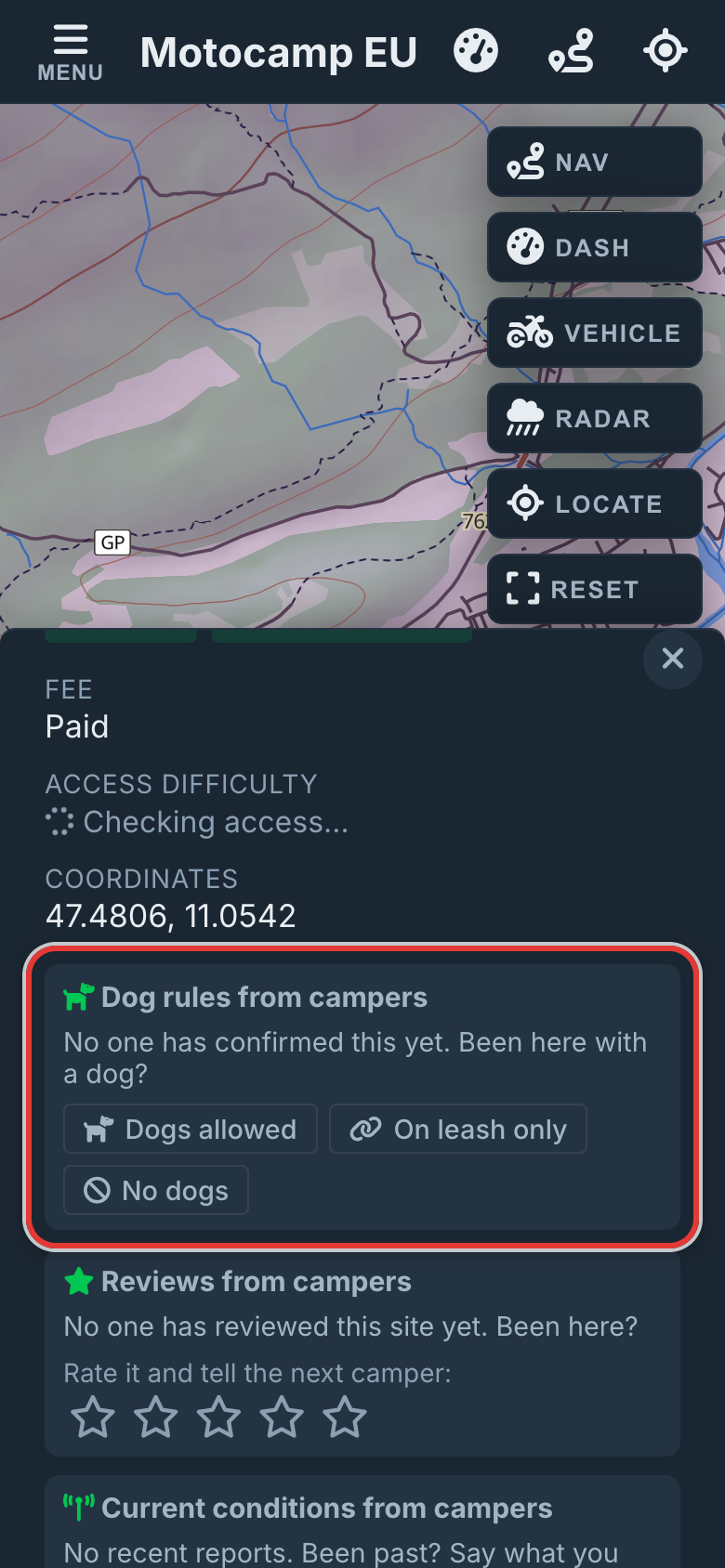
Reviews from campers
- Tap a star, from one to five, under Rate it and tell the next camper.
- Type a few words if you like. The box says What should the next camper know? (optional)
- Tap Post review.
An average shows once three campers have rated a site. Before that, you see each review on its own. To change yours, tap Change. To take it away, tap the bin beside it.
Current conditions from campers
- Tap Report current conditions.
- Tap what you found.
- The choices are Open & fine, Closed / locked, Full, Access difficult and Flooded.
- Or tap Facilities out or Fees changed.
- Or tap No longer exists or Something else.
- Add a few words. Something else needs them.
- Tap Post report.
Each report shows how old it is. Reports over about four months old fold into History. The app never decides a site is closed from reports. It shows what campers said, so you can judge.
Report a problem with this place
Tap this link when the card itself is wrong. Pick what's wrong, like Wrong name, Pin is in the wrong place or Fee is wrong. Add a note and tap Send. It comes to us, and no other camper sees it.
Step by step, with pictures: Find campsites that take your dog · Put a missing place on the map
6.11Stay here overnight from a card
Every card has buttons to plan a route there. They change with the route you already have.
| When you have | The card offers |
|---|---|
| No route yet | Directions from here, Directions to here and Stay here overnight. |
| A start only | Directions to here, Stay here overnight, and Use this as the start instead. |
| An end only | Directions from here, and Use this as the destination instead. |
| A full route | Head here next, Stay here overnight, Start a NEW route from here and Start a NEW route to here. |
Stay here overnight plans a route to the place and marks it as where you'll sleep. The mark is a small moon.
- Open the card of the place where you'd like to stop for the night.
- Tap Stay here overnight.
- With no route yet, the app plans one from where you are now.
- With a route already, the place becomes your next stop. Your old end stays on the route as a stop.
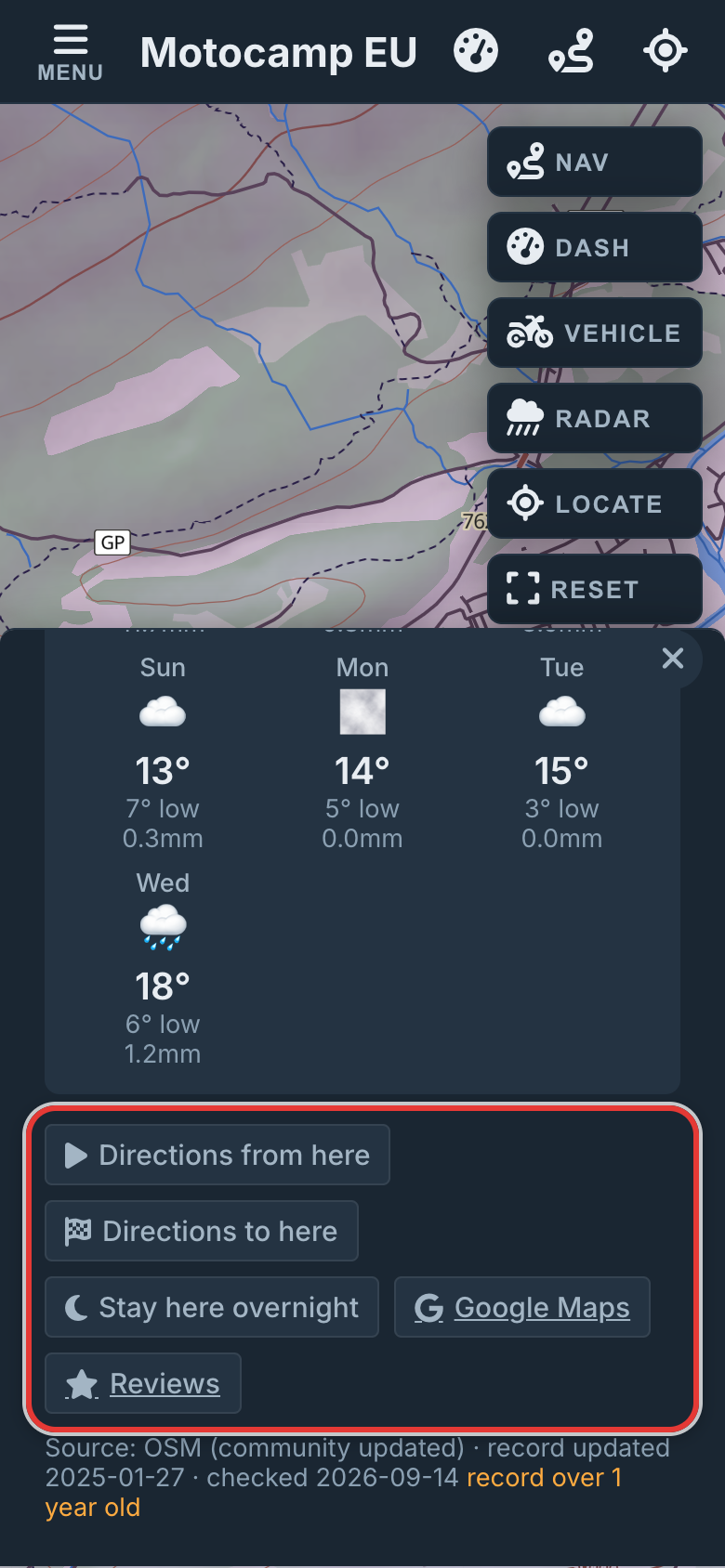
On the map, a night stop shows as a bed. Your trip plan counts it as a night.
6.12Saved Spots
Saved Spots keeps any place you like: a campsite, a friend's house, or a spot with no name. Each one shows as a pink heart on your map.
To save a place from its card:
- Tap the pin to open its card.
- Tap Save, under the name or in the small links.
- Type a name, or keep the one offered.
- Tap OK. A message says Spot saved.
To save any spot on the map:
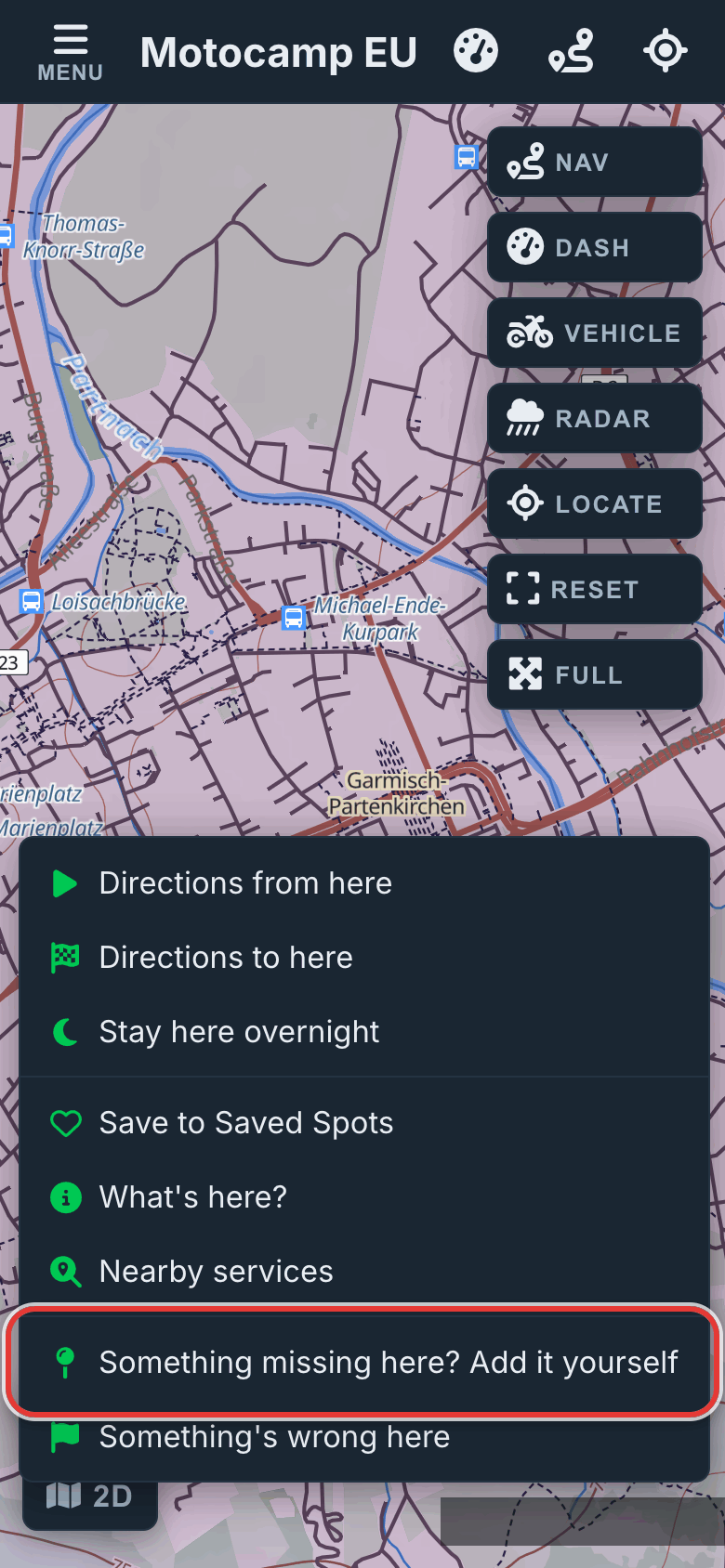
- Press and hold the spot with one finger until a menu opens. On a computer, right-click.
- Tap Save to Saved Spots.
- The box asks What would you like to call this spot? Type a name.
- Tap OK.
To see your list, tap Menu, then Route. Saved Spots is near the bottom, under Home Base.
| In the list | What it does |
|---|---|
| Tap the name | The map moves there and the spot's card opens. |
| The route button | Plan route: plans a route to the spot. |
| The pencil | Rename: gives the spot a new name. |
| The cross | Remove: takes the spot off your list. The app asks first. |
Tap a pink heart on the map to open its card. It has the route buttons, Rename and Remove.
Start typing a saved spot's name in a route box. It shows in the list with a heart.
If nothing is saved yet, the list says: Nothing saved yet. Press and hold anywhere on the map, or tap Save on a place, to add any spot you like.
Step by step, with pictures: Put a missing place on the map
6.13Iconic Food Stops
Iconic Food Stops is 38 places we picked by hand. They run from the hut at the top of the Stelvio to a fish bar on the Fife coast. Each is a simple place, known far beyond its own town, on a good road.
- Tap Menu.
- Tap Layers.
- Scroll to the heading Worth a Stop.
- Tap the switch for Iconic Food Stops.
- Tap Map to close the Menu.
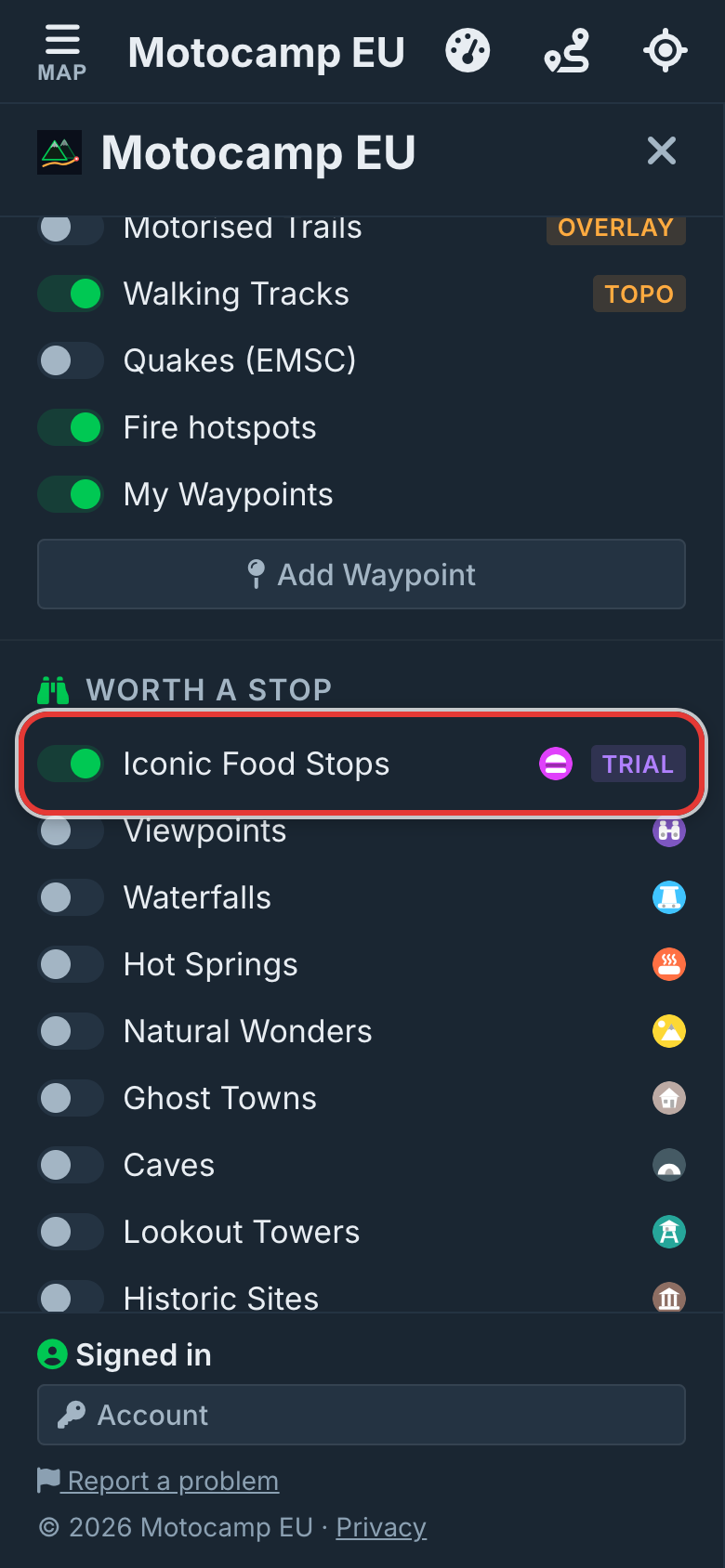
Each stop is a purple pin with a little burger. All 38 show at every zoom, and they never join into circles.
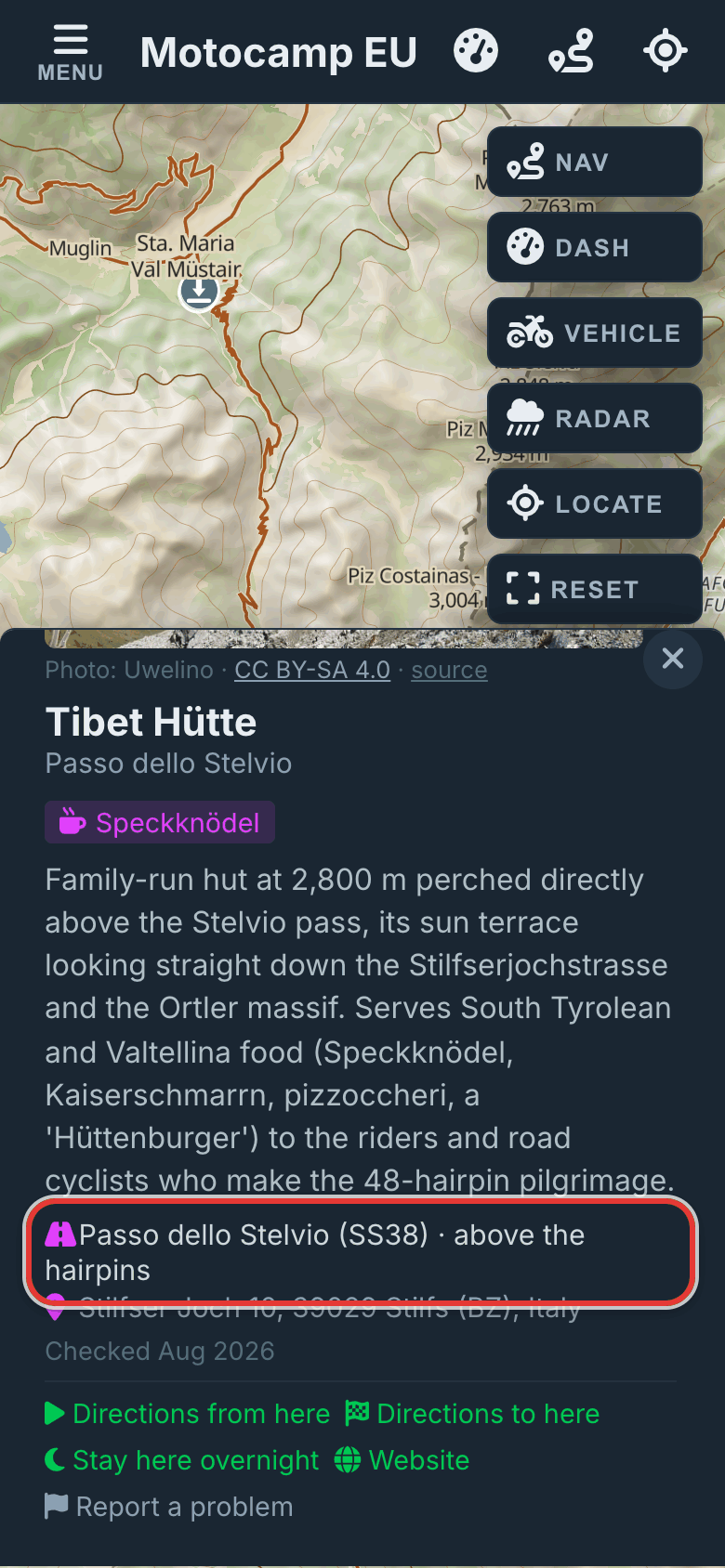
| Part of the card | What it tells you |
|---|---|
| Photo | A photo when we have one, with who took it. |
| Name and town | And the year it opened, as "since" and the year. |
| The dish | What people go there for. |
| Why it made the list | A few words on what makes it special. |
| The road | The road it's on, so you can tell if it's on your way. |
| Address | Where to find it. |
| Checked | The month we last checked it was still there. |
| Buttons | Route buttons, Website, and Report a problem, which starts an email to us. |
Step by step, with pictures: Find great food stops on your way
6.14Worth a Stop
The other switches under Worth a Stop show things worth seeing on the way. They're all off at the start.
| Switch | What it shows |
|---|---|
| Viewpoints | Lookouts with a view. |
| Waterfalls | Waterfalls. |
| Hot Springs | Hot springs. |
| Natural Wonders | Arches, rock shapes and other natural sights. |
| Ghost Towns | Towns people have left. |
| Caves | Caves. |
| Lookout Towers | Towers you can climb for a view. |
| Historic Sites | Memorials, monuments, ruins, old mines and wrecks. |
| Attractions | Other places visitors go to see. |
Tap a pin for its card. It shows the name and kind, and can show the Elevation in metres, Hours and a few words. The buttons are route buttons, Maps, Website and Wikipedia.
Plan a route and the Route Summary may say Cool stuff along this route. It lists what you'll pass. Tap Show on map to see those places.
Alert in navigation is the last switch under Worth a Stop. It's on at the start. While you navigate, it gives you a heads up in time to stop.
- Some kinds can alert even when their switch is off. These are Viewpoints, Waterfalls, Hot Springs, Natural Wonders and Ghost Towns.
- Other kinds alert only when their switch is on. These are Caves, Lookout Towers, Historic Sites and Attractions.
- Only well known places alert: ones with a name, and a Wikipedia page or a written note.