
12Hazards and closures
See shut roads, fires and other hazards before you go. Set your trip day, and the app checks closures for that day.
12.1The hazard switches
Hazards are things that could stop you or slow you down. Shut roads, roadworks, fires and earthquakes all show on the map. Most of them are on when you first open the app.
- Tap Menu at the top left.
- Tap Layers along the top of the menu.
- Scroll to the heading named in the table, and tap a switch.
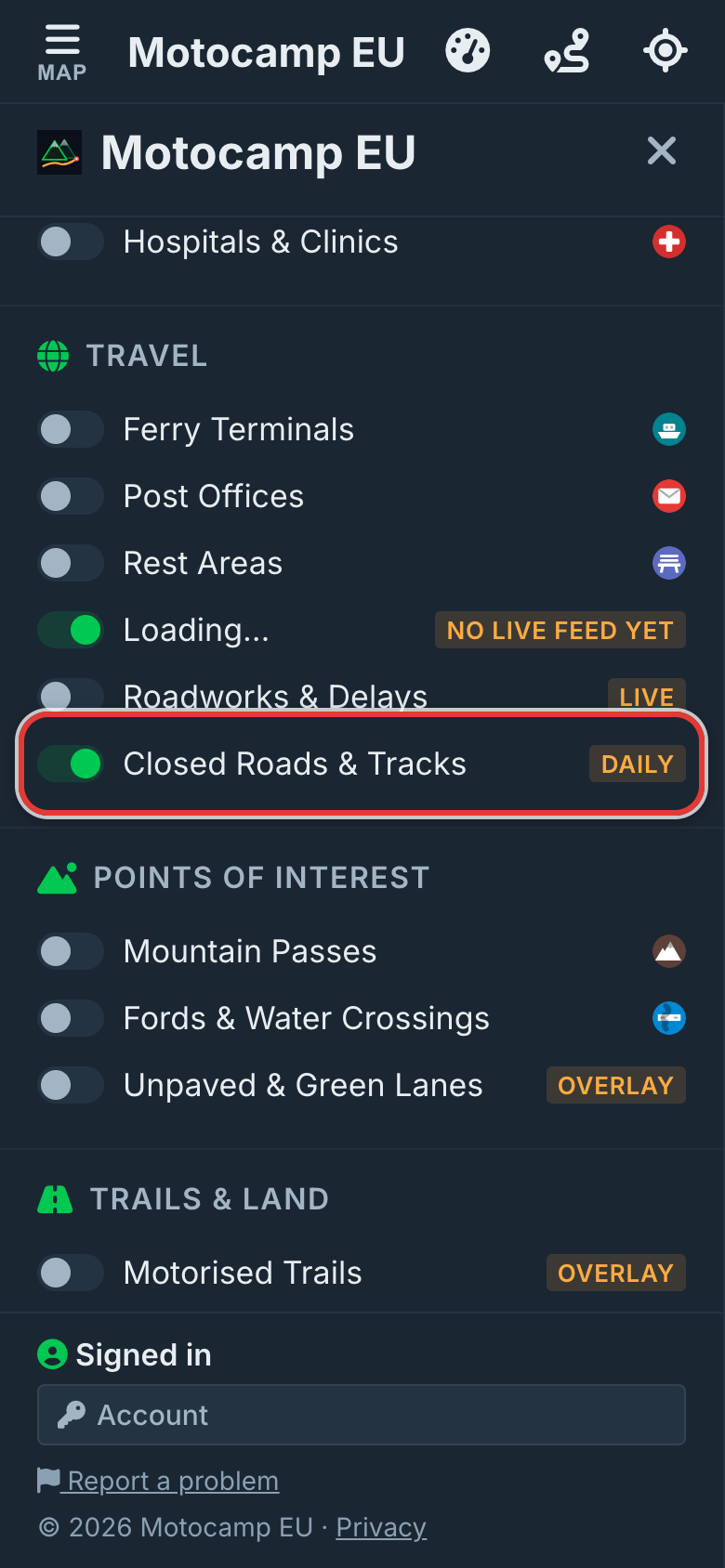
| Switch | Under the heading | On to start with | What it shows |
|---|---|---|---|
| Road Closures | Travel | Yes | No live feed yet, so it stays empty for now. |
| Roadworks & Delays | Travel | No | Roadworks and hold ups. |
| Closed Roads & Tracks | Travel | Yes | Mountain passes shut for winter, and roads shut by a notice. |
| Quakes (EMSC) | Trails & Land | No | Recent earthquakes. |
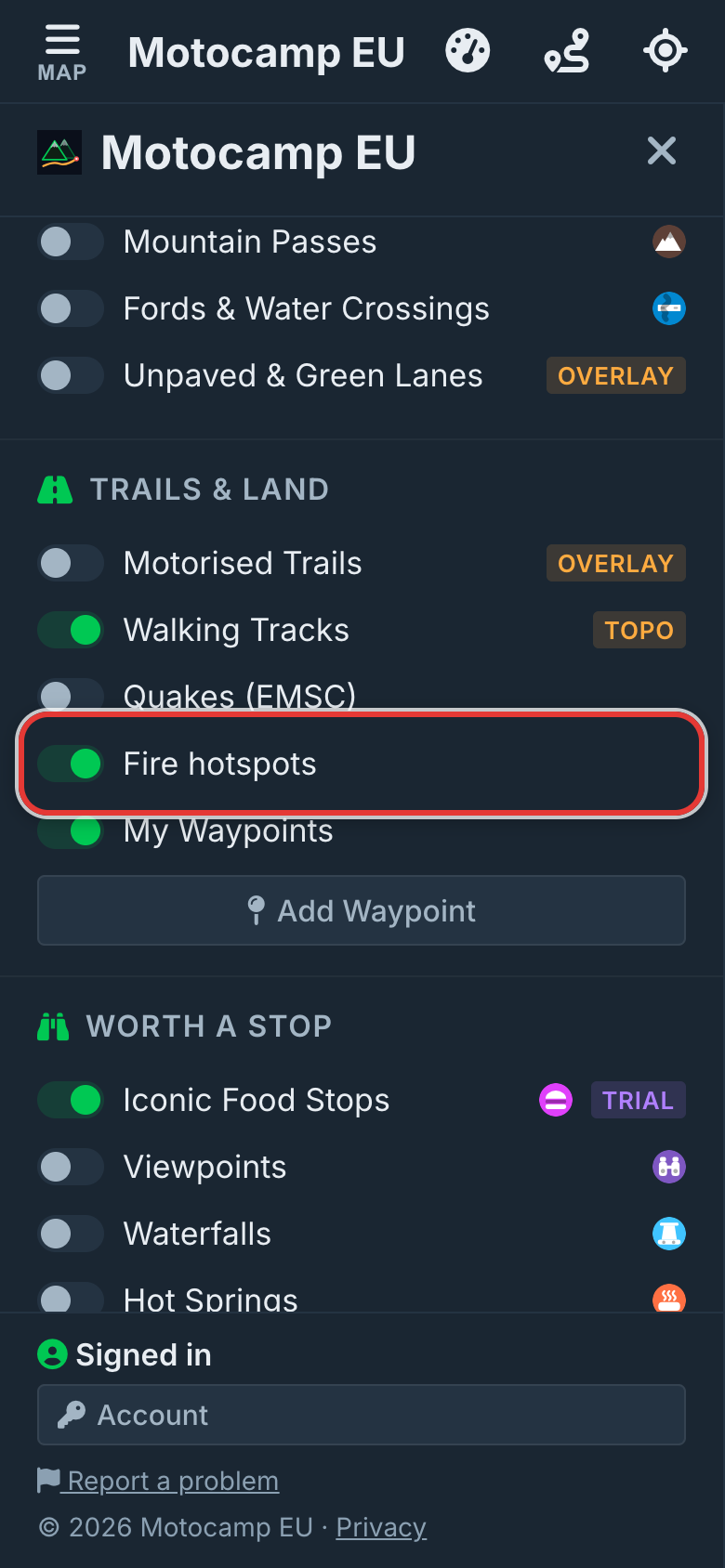
| Fire hotspots | Trails & Land | Yes | Heat seen by satellites in the last two days. |
| Show on map | Speed Cameras | No | Speed and red light cameras that stay in one place. |
Two more things are always on, with no switch. Known fires show as red areas. Official warnings show as purple areas.
The app remembers each switch, so it stays the way you leave it.
12.2Road Closures and Roadworks
Road Closures has the words No live feed yet beside it. There's no live closure feed for Europe in the app yet, so it stays empty. Roadworks & Delays is empty for the same reason.
The closures you see come from Closed Roads & Tracks, which is checked every day.
Step by step, with pictures: Closed roads, checked for your trip day
12.3Closed Roads & Tracks
Closed Roads & Tracks shows roads shut on your trip day. Most are mountain passes shut for winter. It's checked every day.
Pass dates come from OpenStreetMap, a map that people build together. Closures also come from road services in a few countries. They include France, Spain, Finland, Iceland, South Tyrol and Tyrol.
Some roads are marked 4WD only. They stay open to a 4x4 or a motorbike. They're shut to a caravan, a campervan or a motorhome.
Shut roads show as red dashed lines. A gate shut for the season shows as a red dot with a white ring.
- Zoom in on where you're heading.
- Tap a red dashed line.
- Read the card.
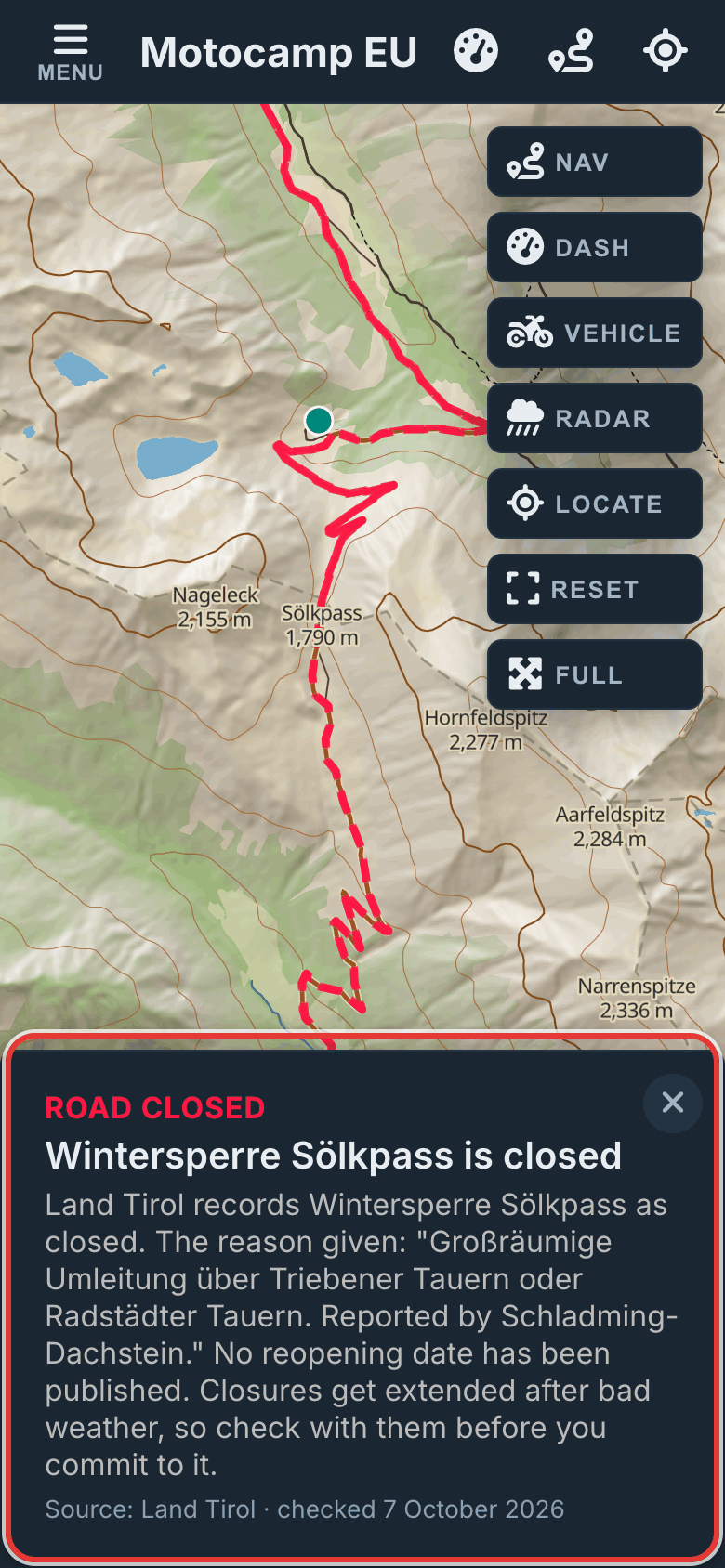
| Card heading | What it means |
|---|---|
| ROAD CLOSED | The road is shut by a notice. |
| SHUT FOR THE SEASON | The road is shut for part of the year. |
| SNOW GATE SHUT | A gate is shut for snow. |
| 4WD ONLY | Only four wheel drives and bikes may use it. |
| RESTRICTED | Only some vehicles may use it. |
The card says who sets the dates, the season it's open, and the day it opens again. Tap Read the notice to see it for yourself.
Step by step, with pictures: Closed roads, checked for your trip day
12.4Your trip date and closures
A road shut today may be open on the day you go. Tell the app your day, and it checks closures for that day instead.
- Tap Menu, then Route.
- Scroll to Leaving on, just under Add Stop and Clear.
- Pick the day you're setting off.
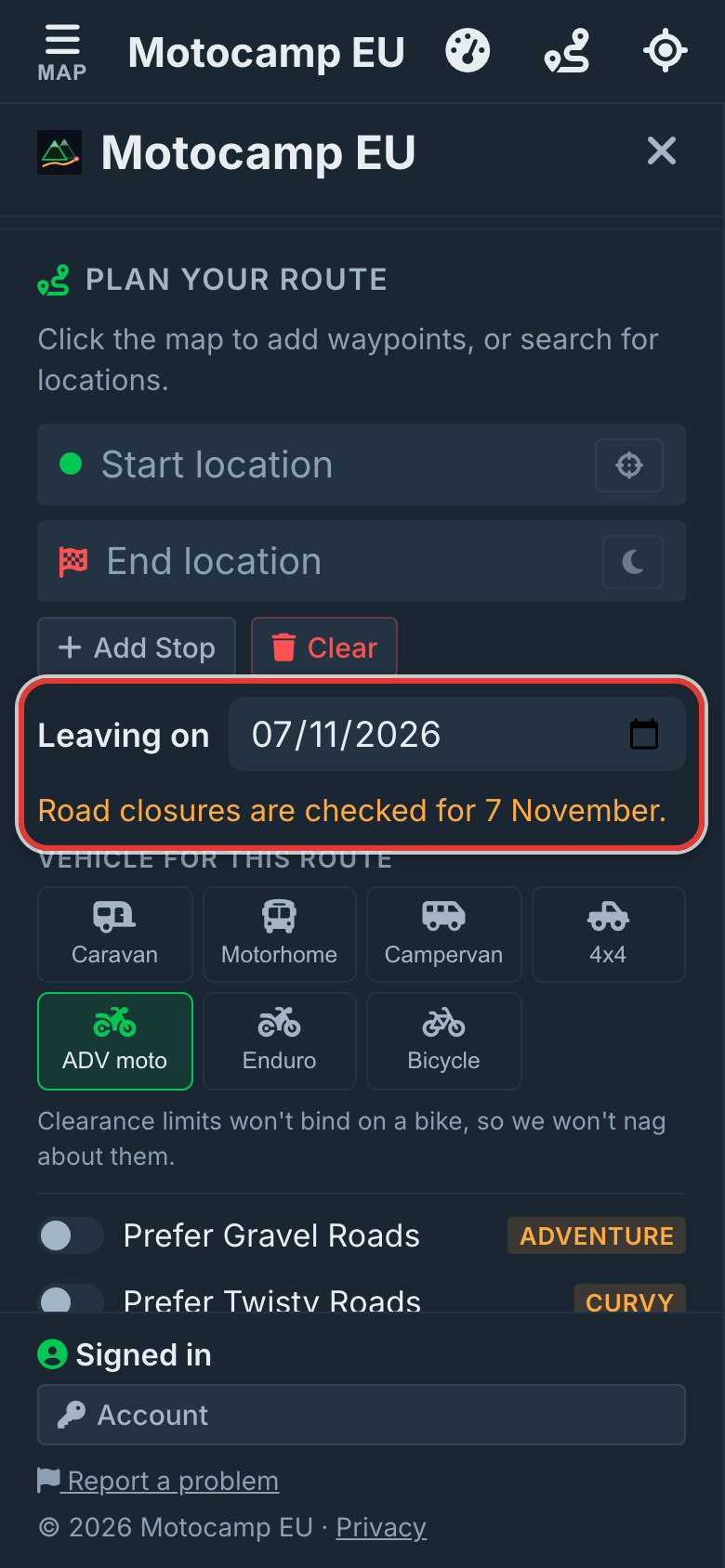
A line under it then says Road closures are checked for, and your date. The red lines on the map change to match that day. If a route is already planned, it plans again.
Plan with AI has the same date, in the box What day are you leaving? Change one, and the other changes too.
Step by step, with pictures: Closed roads, checked for your trip day
12.5How routes go round closures
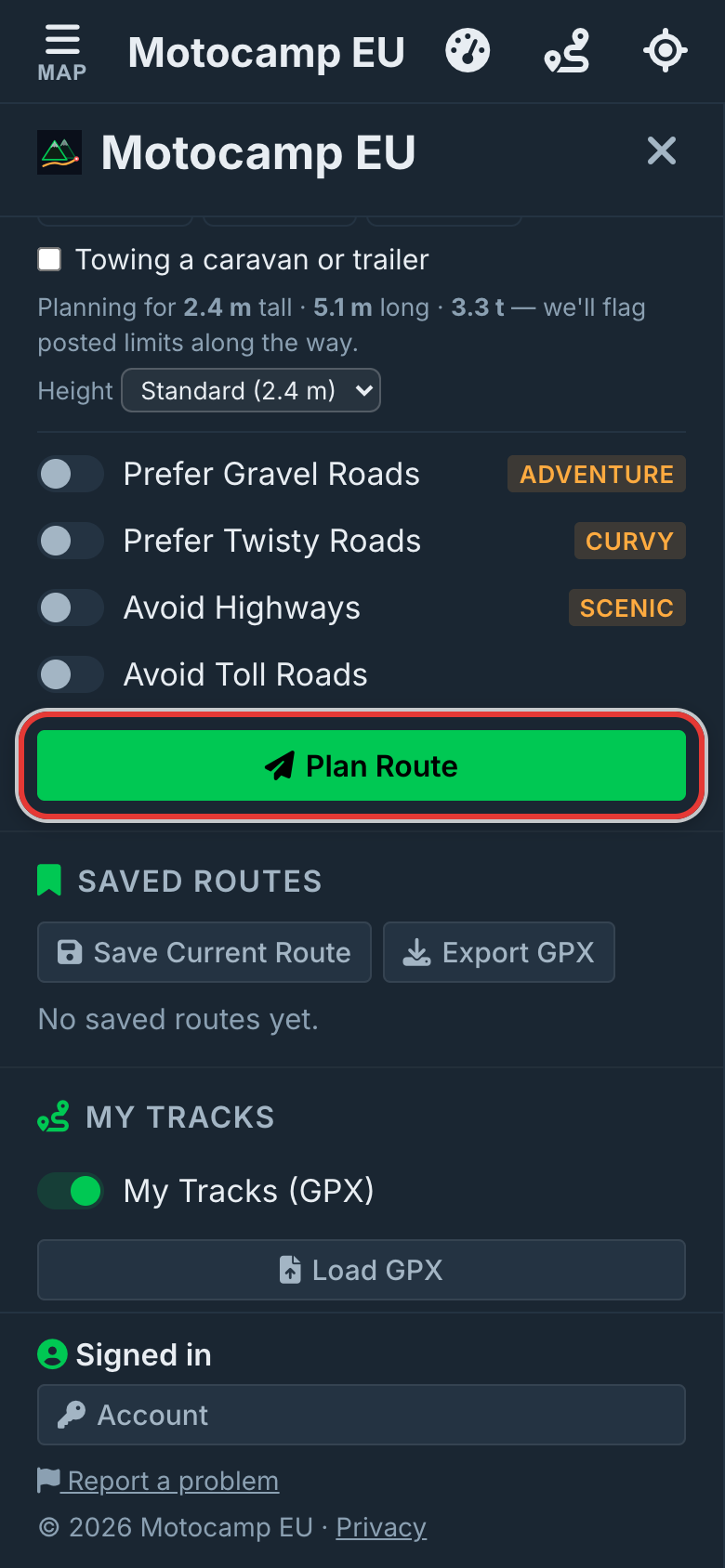
When you tap Plan Route, the app leaves out roads that are shut on your trip day. The way round may be longer. That's the road being shut.
If a live closure is on your route, the app plans again round it. A note says Rerouted around a closure, and names it. If it can't find a way round, a red note says ROUTE PASSES A REPORTED CLOSURE.
Some closures last only part of the day. Then a card says Closed part of the day. Tap Show detour to go round it, or Use the direct route to keep the road.
If a shut road opens again within six weeks, a card asks what you'd like. It says ROAD CLOSED ON YOUR ROUTE, with the day it opens.
| Button | What it does |
|---|---|
| Route around it | Plans another way. A stop on the shut road is taken off. |
| I'll take it | Keeps the road on your route, marked in yellow. |
The Route Summary then says what the app did.
| Note | What it means |
|---|---|
| Closing soon | A road on your route is open on your day but shuts within six weeks. |
| Shut for the season, rerouting | A road was shut, so the route goes another way. |
| A closure sits at one of your stops | Move that stop off the shut road. |
| This route passes a reported road closure | No way round was found. Check with the road authority first. |
Step by step, with pictures: Closed roads, checked for your trip day
12.6Fires
Fire hotspots shows where satellites saw heat in the last two days. The satellites belong to NASA, the United States space agency. It's on to start with.
Hot ground glows yellow through to deep red. Each fire has a label, Active fire, and how long ago it was seen, like 3 h ago. The app checks again every 15 minutes and when you move the map.
- Tap the glow or its label.
- Read the card. It shows when it was last seen, how many times, how wide, and how hot.
Known fires show as a red area with a dashed edge and the fire's name. They're always on, with no switch. They're added by hand from reports. The app checks for new ones every 10 minutes and keeps the last list on your phone.
- Tap a red area.
- Read the card. It shows when it started, how long it stays on the map, and where the report came from.
If the card says routes go around it, the app tries to keep your route out of that area.
Step by step, with pictures: See wildfires on your map
12.7Earthquakes
Quakes (EMSC) shows recent earthquakes of size 3.5 or more. EMSC is the European earthquake centre. The switch is under Trails & Land, and it's off to start with.
It shows the latest 200 quakes across Europe. Bigger quakes have bigger dots. Red is the strongest, then amber, then yellow.
- Tap a dot.
- Read the card. It shows the size, the depth and the area.
| On the card | What it means |
|---|---|
| Magnitude | How big the quake was. |
| Depth | How far under the ground it started, in km. |
| Region | The area where it happened. |
While it's on, the app checks for new quakes every 10 minutes.
12.8Other things on your route
When you plan a route, the Warnings list in the Route Summary also checks for these.
| Warning | What it means |
|---|---|
| Gates or barriers on route | Gates are marked in amber. Some may be locked. Leave every gate as you found it. |
| River crossings on route | Marked in blue. The map doesn't know how deep the water is. |
| ROAD CLOSED, and a place | A live closure close to your route. |
| Delays, and a place | A hold up close to your route. |
You can see speed cameras too. Under Speed Cameras, tap Show on map. Alert in navigation warns you as you get close. The cameras come from OpenStreetMap, a map that people build together. Lots of cameras are missing. No camera on the map does not mean no camera.
12.9Where hazards come from
| Layer | Where it comes from | How fresh |
|---|---|---|
| Closed Roads & Tracks | OpenStreetMap and national road services | Checked every day |
| Quakes (EMSC) | European earthquake centre | Every 10 minutes while on |
| Fire hotspots | NASA satellites | Every 15 minutes, covering the last two days |
| Known fires | Added by hand from reports | Every 10 minutes |
| Speed cameras | OpenStreetMap | Kept in the app, not live |